 MA Audio Visualizer / Spectrum Analyzer
音楽やマイクの音をリアルタイムにビジュアル化
Visualize music and mic audio in real time
曲ごとの違いや音質もチェックできる
Compare tracks and check sound quality



再生中のアプリの音を解析
Analyze audio from other apps
音楽アプリや YouTube 動画、ゲームなどのシステムの再生音を直接取り込んでリアルタイムにグラフ表示できます。音源データの品質チェック (ハイレゾかどうか) や音楽でどんな音が鳴っているかなど、音を目視で確認できます。
Capture system playback from music apps, YouTube videos, games, and more, and graph it in real time. Check the quality of your audio files (is it really hi-res?) and see which sounds are playing in the music.
- Windows は追加の設定なしで利用できます。
- Mac は仮想オーディオデバイス BlackHole の導入が必要です。
- Android は音楽や動画アプリの再生音を Android の画面共有機能経由で取得/解析します (Android 10 以上で対応)。再生アプリによっては音声を取得できない場合があります。
- iPhone / iPad はほかのアプリの再生音を取り込めません。マイクやオーディオインターフェースからの入力音を表示します。
- Windows works without extra setup.
- On Mac, install the virtual audio device BlackHole.
- On Android, the app captures/analyzes audio from music and video apps through Android screen sharing (Android 10+). Some apps block audio capture.
- On iPhone and iPad, audio from other apps cannot be captured. The app shows audio from the microphone or an audio interface.
主な特徴
Key features
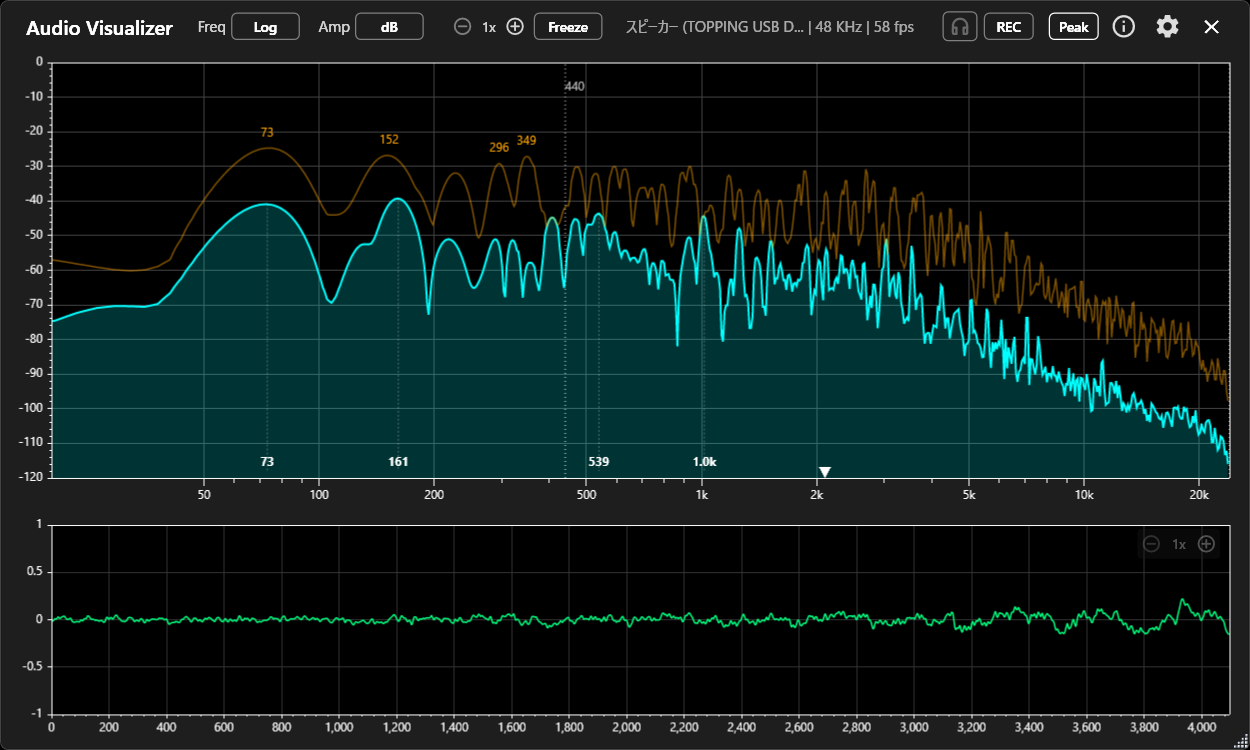
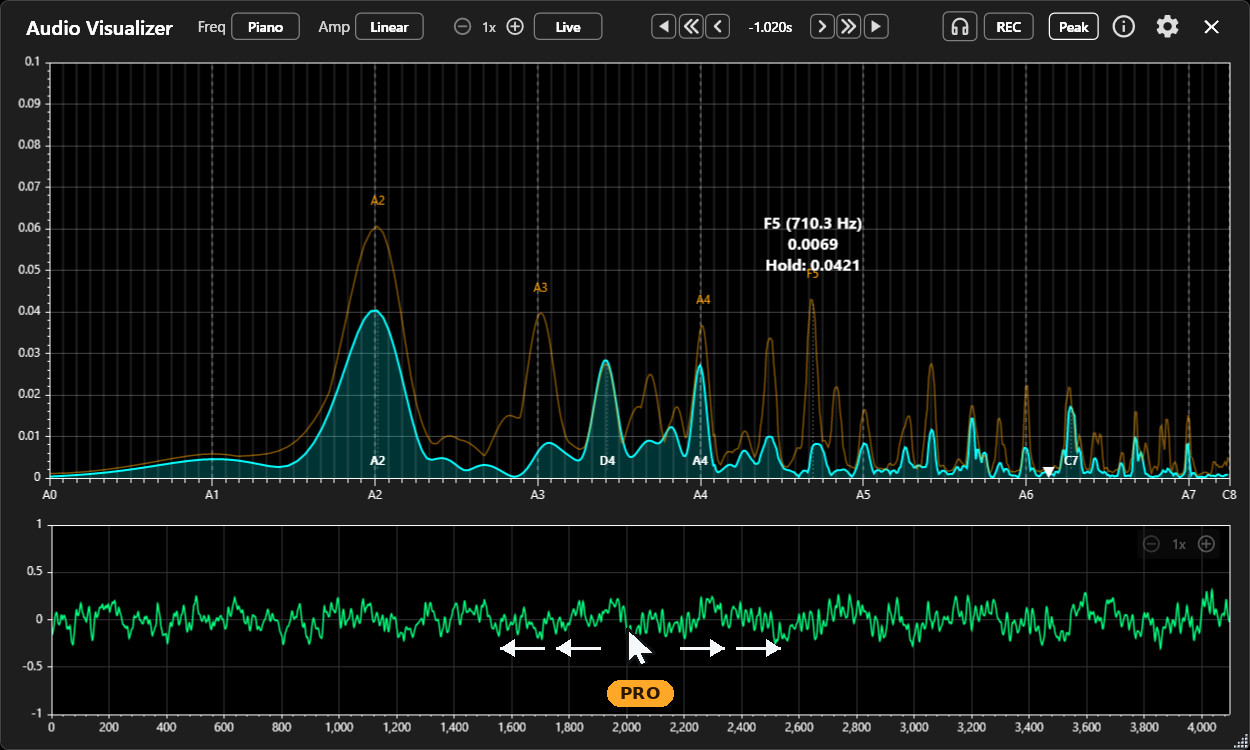
- 3 種類の周波数軸 Three frequency axes 周波数軸 (X) を Linear / Log / Piano で切り替え。Piano 表示では 88 の鍵盤に合わせてピークの音名が確認できます。 Switch the frequency axis (X) between Linear, Log, and Piano. In Piano mode, peaks are labeled with note names on an 88-key layout.
- dB と Linear の音量表示 dB and Linear amplitude 音量軸 (Y) を dB / Linear で切り替え。小さな成分まで確認したいときは dB 表示、振幅の変化を確認したいときは Linear 表示が向いています。 Switch the amplitude axis (Y) between dB and Linear. dB suits quiet components; Linear suits changes in amplitude.
- ピーク検出とピークホールド Peak detection and hold 最大 4 つのピークに周波数、音名、値をラベル表示。ピークホールドの保持時間や線の色も変更できます。 Labels up to four peaks with frequency, note name, and level. You can change the hold time and line color.
- モニターとフリーズ Monitor and Freeze 入力中の音をヘッドホンで聴きながら、フリーズで表示を止めて数秒前までさかのぼって確認できます。さかのぼれる時間は Free 版で 5 秒、Pro 版で 10 秒です。 Listen to the input through headphones, freeze the display, and step back a few seconds. Free goes back 5 seconds, Pro 10 seconds.
- スペクトル重心Pro Spectral centroidPro 音のエネルギーの重心を周波数で表示。2 つの音の明るさを比べるときの目安になります。 Shows the energy balance point of the sound as a frequency. Useful for comparing how bright two sounds are.
- 録音Pro RecordingPro 解析中の音を WAV ファイルで保存。1 回の録音は最大 15 分です。 Saves the audio you are analyzing as a WAV file, up to 15 minutes per recording.
解析はすべて端末内で行い、音声データを外部へ送信しません。
All analysis runs on your device. No audio data is sent to external servers.
アプリの活用
Using the app
このアプリで調べてみたことを note でご紹介しています。
On note, I write about things I checked with this app (in Japanese).
- ワイヤレスイヤホンで会議すると、聴いている音まで劣化する【実測】2026-08-02
- 昔の mp3 128kbps の劣化は高域カットだけじゃない【実測】2026-07-23
Free / Pro
Free
- リアルタイムのスペクトラム表示
- 波形表示とピーク表示
- モニターとフリーズ (5 秒前まで)
- Real-time spectrum display
- Waveform and peak display
- Monitor and Freeze (back 5 seconds)
Pro(買い切り)
Pro(one-time purchase)
- 60fps 描画、FFT サイズ最大 32768
- 縦棒表示、スペクトラムと波形の拡大
- 表示色の変更
- 録音 (WAV、最大 15 分)
- スペクトル重心マーカー
- モニターとフリーズの追加機能 (10 秒前まで、ドラッグ・ホイール・1 サンプル単位の移動)
- 常に最前面、背景透過 (Windows / Mac のみ)
- 60 fps rendering, FFT size up to 32768
- Bar display, spectrum and waveform zoom
- Custom display colors
- Recording (WAV, up to 15 minutes)
- Spectral centroid marker
- Extended Monitor and Freeze (back 10 seconds, drag, wheel, single-sample steps)
- Always on top, transparent background (Windows / Mac only)
価格はアプリの設定画面 Pro にアップグレード でご確認ください
Check the price in the app under Settings Upgrade to Pro
Free / Pro の欄にマウスを乗せるかタップすると、下の画面が切り替わります
Hover over or tap Free / Pro to switch the screenshot
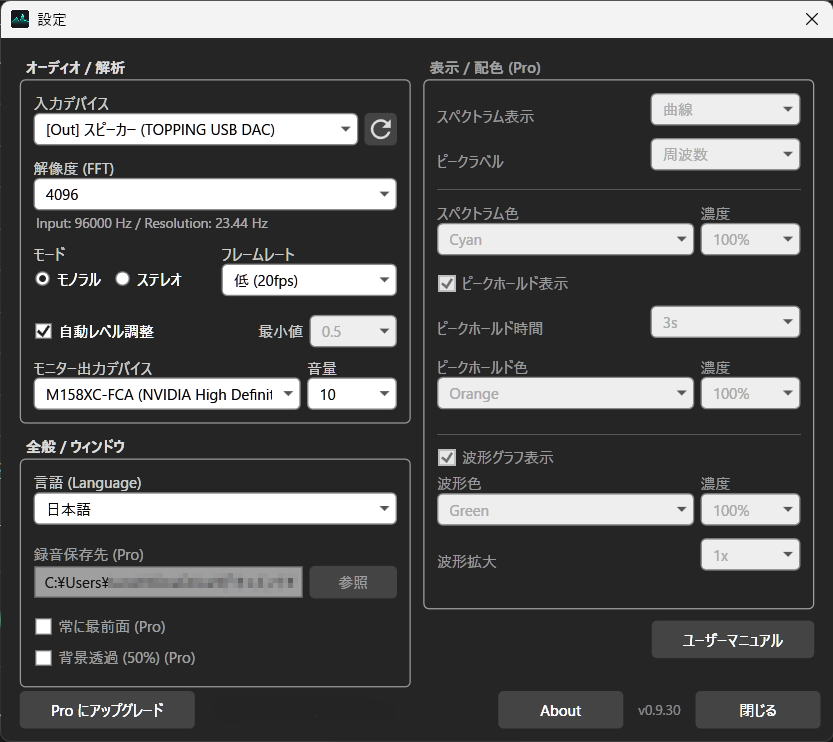
※ iPhone や Android の設定画面は表示スタイルが異なります
* The settings screen looks different on iPhone and Android.
プラットフォームごとの制限
Platform limitations
| 機能Feature | Windows | Mac | iPhone / iPad | Android |
|---|---|---|---|---|
| 再生中のアプリの音Audio from other apps | ○ | ○ ※1 | × | ○ ※2 |
| マイク、外部入力Microphone, external input | ○ | ○ | ○ | ○ |
| 録音 (Pro)Recording (Pro) | ○ | ○ | ○ | ○ |
| ヘッドホンでのモニターHeadphone monitoring | ○ | ○ | ○ | ○ |
| キーボードで 1 サンプル移動 (Pro)Single-sample step with keyboard (Pro) | ○ | ○ | × | × |
| 常に最前面、背景透過 (Pro)Always on top, transparent background (Pro) | ○ | ○ | × | × |
| 対応 OSSupported OS | Windows 10 / 11 | macOS 13 以降macOS 13 or later | iOS 16 / iPadOS 16 以降iOS 16 / iPadOS 16 or later | Android 8.0 以上対応 システム音声の取得は Android 10 以上Android 8.0 or later System Audio capture requires Android 10 or later |
| 入手先Available on | Microsoft Store | App Store (近日公開)(coming soon) |
App Store (近日公開)(coming soon) |
Google Play |
- ※1 BlackHole の導入が必要です。ほかの仮想オーディオデバイスは動作未確認です。
- ※2 Android の画面共有機能経由で取得します (Android 10 以上で対応)。再生アプリによっては音声を取得できない場合があります。
- *1 Requires BlackHole. Other virtual audio devices have not been tested.
- *2 Captured through Android screen sharing (Android 10+). Some apps block audio capture.
- Mac再生中のアプリの音を取り込むには BlackHole が必要です。
- iPhone / iPadほかのアプリの再生音は取り込めません。
- Android音楽や動画アプリの再生音の取り込みは、Android の画面共有機能経由で取得/解析します (Android 10 以上で対応)。再生アプリによっては音声を取得できない場合があります。Pro のフレームレート 60fps は最大値です。実際は端末、入力経路、FFT サイズで変化し、Android では多くの場合 45〜50fps になります。
- MacCapturing audio from other apps requires BlackHole.
- iPhone / iPadAudio from other apps cannot be captured.
- AndroidCaptures/analyzes audio from music and video apps through Android screen sharing (Android 10+). Some apps block audio capture.The 60 fps frame rate in Pro is the maximum. The actual rate varies by device, input path, and FFT size, and on Android it is 45–50 fps in many cases.